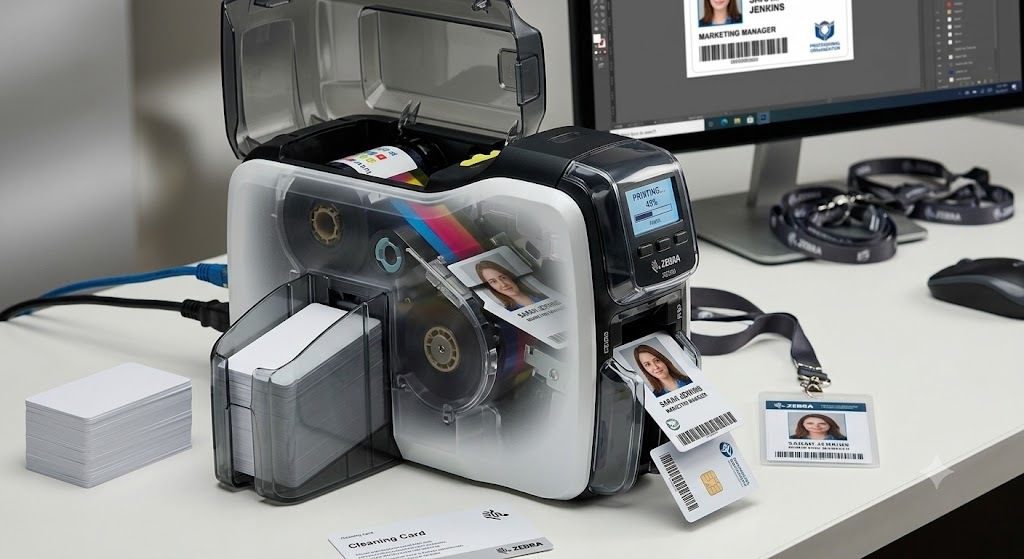
What Are Thermal ID Cards?
Thermal ID cards are plastic cards (typically CR80 size, the same as a credit card) printed using thermal transfer technology. A heated printhead transfers colour from a ribbon onto the card surface, creating sharp text, vibrant photos, and scannable barcodes.
Unlike inkjet printing, thermal printing doesn't use liquid ink, which makes it faster, cleaner, and more durable.
How Thermal Printing Works
There are two main techniques:
1. Dye Sublimation (for photos)
The printhead heats dye, converting it into gas that bonds with the card's coating. This produces smooth, continuous-tone colour photos.
2. Resin/Thermal Transfer (for text & barcodes)
The printhead melts resin-based ink onto the card, creating sharp, durable black text or barcodes that resist scratching.
Types of Thermal Cards
| Type | Description | Best For |
|---|---|---|
| Standard PVC | Cost-effective, accepts thermal printing well | Offices, schools, visitor badges |
| Composite (PVC/PET) | Better flexibility and heat resistance | High-heat printing, lamination |
| PET / Polyester | Stiffer, more durable plastic | Long-lasting IDs |
| Polycarbonate (PC) | Most secure, laser-engraved instead of printed | High-security credentials |
Advantages of Thermal ID Cards
Professional Print Quality – Photo-realistic images and crisp text
Fast Printing – Up to 900 cards per hour (monochrome)
Durable – Resistant to scratches, smudges, and fading
Cost-Effective – Low cost per card in bulk
Secure – Can include holograms, UV ink, and barcodes
Versatile – Works for employee IDs, access cards, membership cards, and more
Limitations to Consider
Initial Setup Cost – Thermal printers require a higher upfront investment
Ribbon Costs – Ongoing cost of ribbons (YMCKO, YMCKOK, etc.)
Surface Printing – DTC printing leaves data on the surface, which can be altered
PVC Longevity – Standard PVC cards may warp in high heat
Common Uses of Thermal ID Cards
Employee ID badges
Student and faculty ID cards
Membership and loyalty cards
Access control credentials
Visitor passes
Gym and club cards
Healthcare ID cards
Printing Thermal Cards on the Zebra ZC300
The Zebra ZC300 is one of the most popular thermal card printers available. It supports:
Single or dual-sided printing
YMCKO, YMCKOK, KrO, and monochrome ribbons
Up to 200 full-colour cards per hour
Easy ribbon cartridge loading
USB and Ethernet connectivity
For best results, use Zebra Genuine ribbons and keep the printer clean with regular cleaning cards.
Design Tips for Best Print Quality
Avoid solid dark backgrounds – They can show smudges or uneven coverage
Leave space around the chip – For RFID cards, don't print directly over the embedded chip
Use light or patterned backgrounds – Hides minor imperfections
Keep edges clean – Leave a small margin for print bleed
Test before bulk printing – Always do a test card first
Thermal Cards vs Other Technologies
| Feature | Thermal | Inkjet | Laser Engraved |
|---|---|---|---|
| Print Quality | High | Medium | High |
| Durability | Medium-High | Low | Very High |
| Cost per Card | Low | Low | High |
| Security | Medium | Low | Very High |
| Speed | Fast | Slow | Medium |
Conclusion
Thermal ID cards remain the standard for professional identification because they combine speed, print quality, durability, and cost-effectiveness. Whether you're printing employee badges, student IDs, or membership cards, thermal printing offers a reliable solution.
At Identity Cards, we offer a wide range of thermal cards, ribbons, and printers to suit every requirement. Browse our collection of ID card holders and dori to complete your setup, or contact our team at identitycards.co.in for bulk orders and custom printing options.